Overview
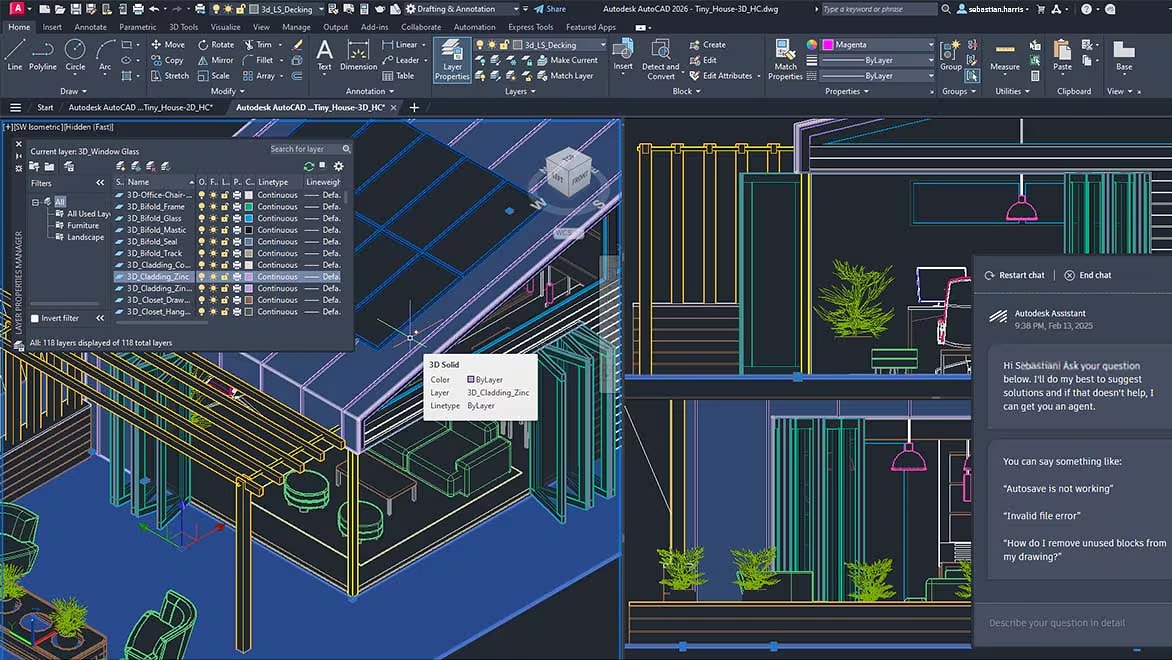
What is Autodesk AutoCAD: Autodesk AutoCAD equips architects, engineers and construction professionals with precision tools to: a) Design and annotate 2D geometry and 3D models with solids, surfaces and mesh objects b) Automate drafting tasks to place objects with AI, compare drawings, create schedules, publish layouts and more c) Maximise productivity with customised workspaces, AutoLISP, APIs and apps Autodesk AutoCAD: 2D and 3D CAD tools built to accelerate your creativity Image designed and modelled in Autodesk AutoCAD, rendered in Twin Motion for Revit. ACCELERATE CREATIVITY: Unlock insights and automations with Autodesk AI File open and startup speeds: Experience the fastest release of AutoCAD yet. Benefit from significant performance enhancements and innovative capabilities that save you time with every DWG file. On average, experience up to 11x faster file open and 4x faster startup times in AutoCAD 2026 vs AutoCAD 2025. Activity Insights: Stay informed with access to essential design data with detailed multi-user event logs—tracking for over 35 activity types including version history, file comparison tools and new “What’s Changed” insights. Supported for files managed on Autodesk Docs, stored locally or hosted on third-party cloud storage.
Full Software Specifications & Licensing Matrix
Verified OEM software architecture, licensing tiers, and deployment compliance
| AI-generated support | Conveniently access helpful AI-generated support and solutions in AutoCAD with Autodesk Assistant. Ask questions related to AutoCAD features and troubleshoot your design challenges without leaving the workspace. |
| Manage design data across projects | Reliably streamline document review and approval workflows with Autodesk Docs, our cloud-based document management and common data environment available in the AEC Collection. |
| Design and collaborate with flexibility | Work the way you want. Stay connected to projects with AutoCAD 2D and 3D DWG files on desktop, web and mobile to capture, share and review ideas on the go. |
| Explore key new features in AutoCAD 2026 | Unlock insights and automations with the help of Autodesk AI and tools designed to enhance collaborative workflows. |
| Multi-User Markup for AutoCAD on the web (Early Access) | Help streamline collaboration on Autodesk Docs projects with Multi-User Markups. Collect and share feedback on drawings using directly intuitive Autodesk Docs mark-up tools – now available in early access with AutoCAD on the web. Create markup links to provide simultaneous access to designs without duplicating or locking files. |